Compare surface types
Show the visual difference between resin, block paving, tarmac, gravel and porcelain on the same property.
Preevu for driveway installers
You know what a silver-grey resin finish will do for that tired drive. Your customer has a small sample and a lot of questions. Put the finish on a photo of their home and give the conversation something concrete.
Upload a photo. Choose the work. See the possibility.
 Project preview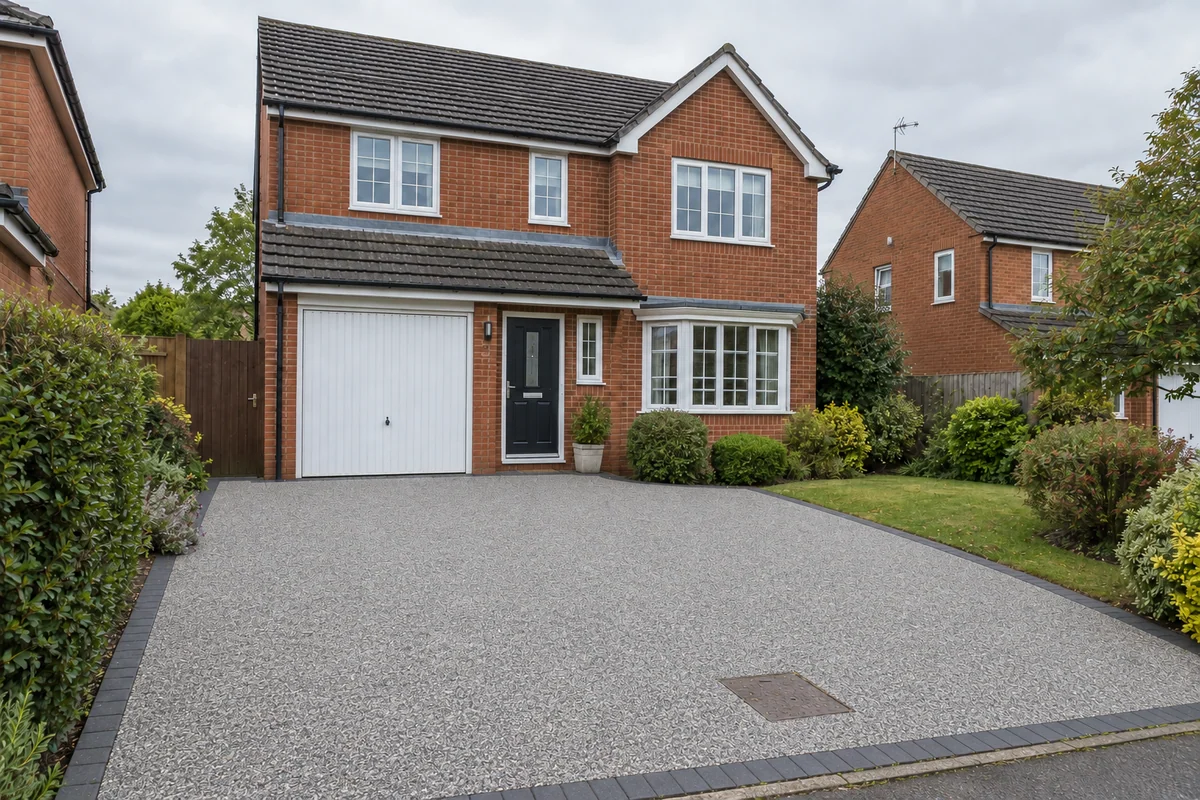
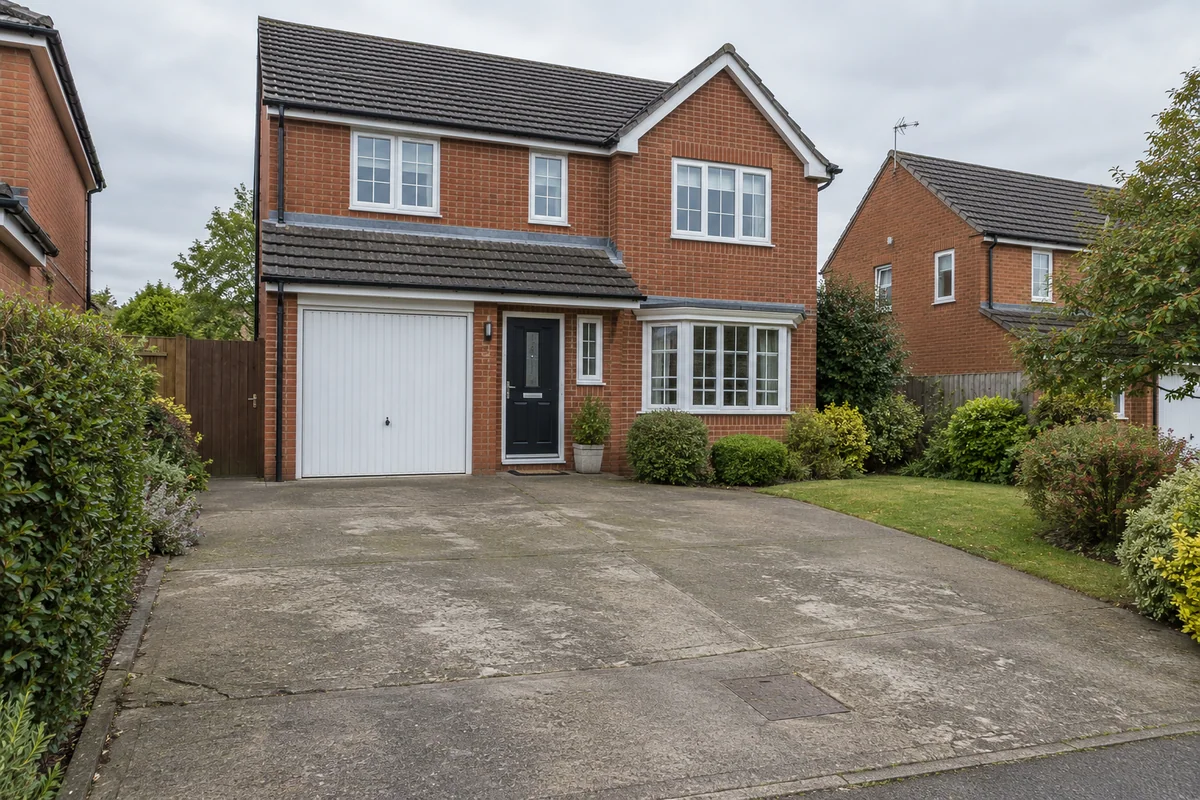 Original sceneAI concept
Drag to compare, or use the arrow keys
Illustrative AI concept, not a completed customer project.
Actual results depend on your photo and selected finish.
For the work you do
A price tells a customer what the work costs. A preview helps them see what they are choosing. Start with the existing drive, choose a surface from the catalogue and compare the result with the original photograph. It gives you a useful starting point for talking through the colour, edging and overall look.
Show the visual difference between resin, block paving, tarmac, gravel and porcelain on the same property.
Use a short instruction to describe a border, or ask for existing drain covers to stay visible.
Bring the preview together with your site measurements, physical samples and written specification.
What you can preview
Explore the supported finishes below. Open the visualiser to see the choices currently available.
A lighter, contemporary direction for the main surface.
A warmer aggregate look alongside brickwork and planting.
Compare a traditional mixed colour with a darker paved finish.
Explore a clean, dark surface against the existing frontage.
See a softer, loose-stone appearance within the driveway footprint.
Look at a lighter slab finish before discussing the specification.
Start with a clear photo, then use the result to talk through the finish.
A practical workflow
Use Preevu for the visual part of the conversation. Keep your existing estimating and project process.
Take a clear photo with permission, or use one the customer has supplied for the preview.
Choose the relevant work and finish. Add a short note, then check the generated image against the original.
Download a useful concept, label it clearly, and discuss it alongside samples and your own written quote.
Keep exploring
Questions, answered
Straight answers before you upload a photograph.
A clearer picture of the finish, before the work begins.